
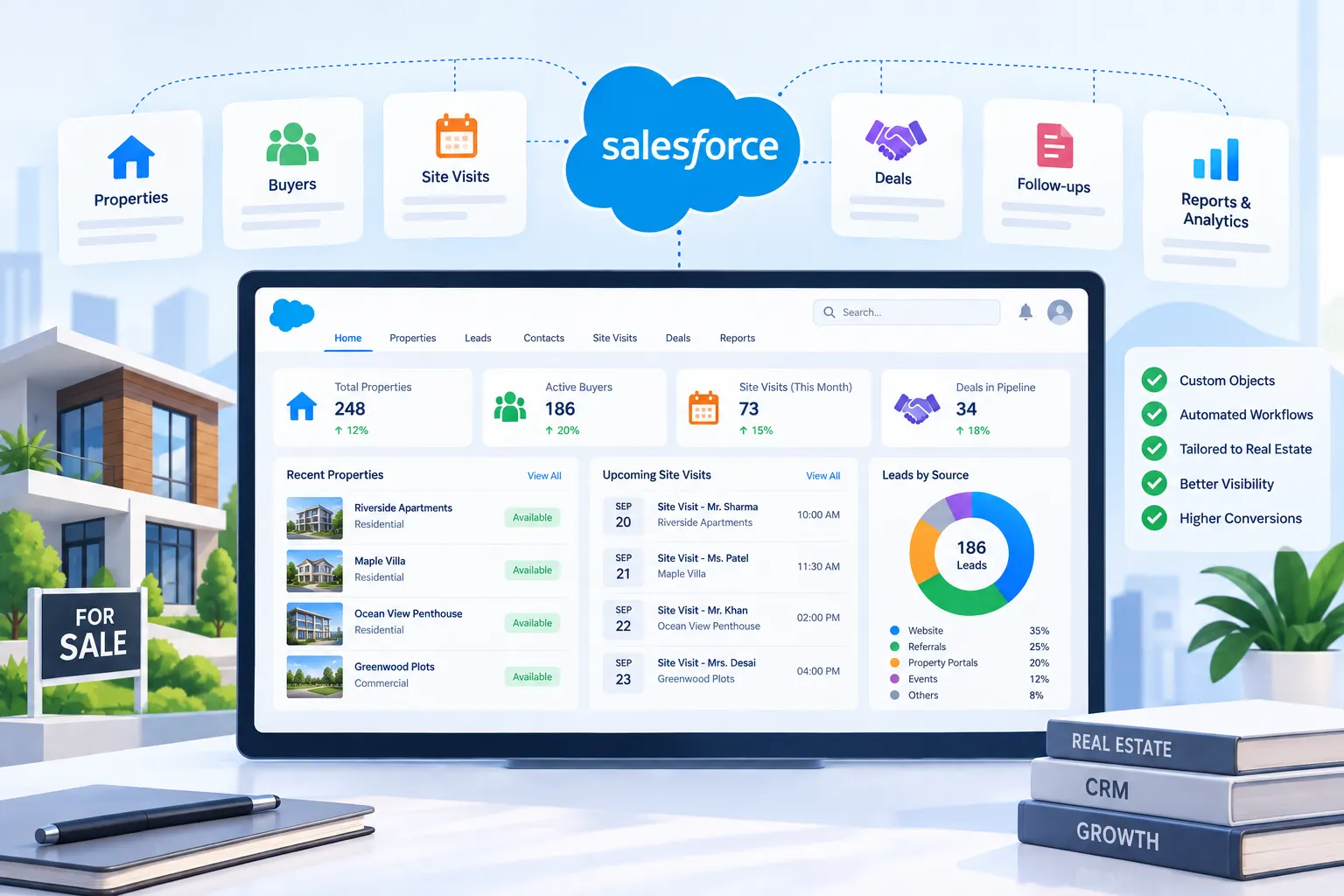
Salesforce CRM Customization for a Real Estate Agency

A real estate agency was using Salesforce CRM more or less out of the box, but real estate sales don’t really fit the standard Sales Cloud structure, properties, buyer preferences, and site visits all needed their own place to live, and none of that existed by default. We customized their Salesforce CRM management setup with custom objects and workflows built specifically around how the agency actually sells property, instead of forcing their process into a generic sales pipeline.

The Challenge

The agency had Salesforce running, but agents were still keeping half their work outside it:

  • Property details, location, price, size, availability status, didn’t have a proper home in the system, so agents tracked listings in a separate spreadsheet and cross-referenced it manually with Salesforce
  • Buyer preferences (budget, preferred locality, property type) weren’t captured in any structured way, so matching a buyer to the right property depended entirely on an agent’s memory or personal notes
  • Site visits weren’t logged anywhere centrally, some agents noted them in a diary, others just messaged their manager, which meant there was no real record of who’d seen what property or how often
  • Management had no way to tell which listings were actually getting attention and which ones were sitting untouched, since that information simply didn’t exist in one place

Standard Sales Cloud is built around a fairly generic Lead-to-Opportunity flow, and for a property business, that structure was only doing about half the job.

Our Solution

We spent the first week just shadowing a couple of agents to see how they actually worked day to day, since most of the gap between what Salesforce assumed and how real estate sales actually happens was showing up right there in the field.

From there, we built:

  • A custom Property object to hold listing details, status, price, locality, possession date, kept separate from the standard Opportunity object
  • A custom Site Visit object linked to both the buyer and the property, so every visit got logged automatically instead of living in someone’s notebook
  • Custom record types to separate residential and commercial listings, since agents handling each followed noticeably different sales steps
  • A validation rule preventing a property from being marked “Sold” unless a linked deal was actually closed, sounds obvious, but it caught a handful of real data-entry mistakes within the first two weeks of use

The trickiest part wasn’t the build, it was getting agents to actually log visits instead of falling back on old habits. We kept the visit-logging screen down to three fields and made it accessible directly from the property record, so logging a visit properly took less effort than texting the manager about it. That small detail ended up mattering more for adoption than any of the actual configuration work.

Results

Property status and buyer activity now live in one place instead of being split across Salesforce and a spreadsheet. Site visit logging went from something maybe half the team bothered with consistently to something most agents now do without being reminded, since it’s built into their existing workflow rather than sitting as a separate task. Management can now see, for any listing, how many visits it’s had and how recently, which already helped flag a couple of properties that were quietly stagnant and needed a pricing review.

A few of the senior agents still occasionally text visit updates to their manager out of old habit instead of logging them directly, so adoption isn’t quite at 100% yet. The team’s handling that through periodic reminders rather than forcing the change all at once.

Tech stack we used

AI & automation solutions

Frontend: ReactJs

Backend: NodeJs

Mobile: Flutter

Database & infrastructure

Database: MongoDB & Redis

Cloud/Hosting: AWS

Other Tools/Integrations: Flolive