
Salesforce Automation for an Insurance Provider

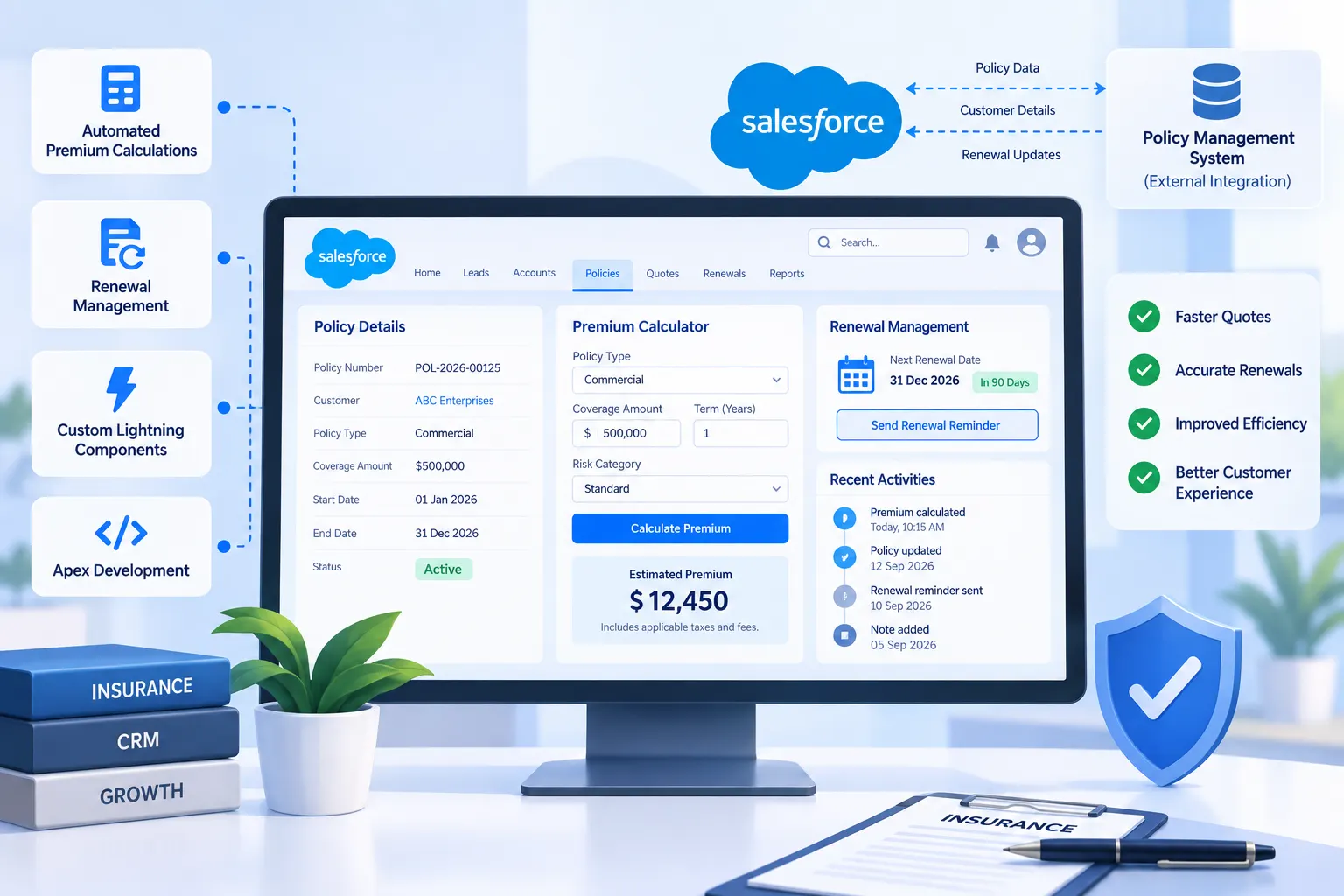
An insurance company had agents manually calculating premiums and tracking policy renewals in spreadsheets, even though they’d had a Salesforce CRM in place for a couple of years already. The CRM itself was fine, the problem was that none of the actual insurance work was happening inside it. We came in as their Salesforce implementation consultant for this phase, built custom Apex logic to automate renewal calculations, added a Lightning component so agents could quote premiums on the spot, and connected the whole setup to their external policy management system.

The Challenge

The CRM held customer records, but the real work still happened outside it:

  • Policy renewal dates lived in a separate spreadsheet, and agents calculated renewal premiums manually based on rules that mostly existed in one senior agent’s head, plus an old reference document nobody had updated in years
  • When a customer called asking for a quote, agents had to pull numbers from the spreadsheet, do the math by hand, and call back later instead of answering on the spot
  • Renewal reminders went out manually too, so some slipped through, a couple of customers only found out their policy had lapsed when they tried to file a claim
  • Customer records and policy data sat in two systems that didn’t talk to each other, so agents kept switching screens just to see a full picture of one customer

They already had Salesforce CRM management handled for basic customer records, this wasn’t a greenfield implementation. What they actually needed was someone to automate the insurance-specific work that had been sitting outside the system the whole time.

Our Solution

Since the core CRM structure was already reasonably solid, this project leaned heavily on Apex development rather than a full rebuild. We started by sitting down with the senior agent whose head held most of the renewal-calculation logic, to get all of it written down properly before building anything on top of it.

From there:

  • Built a custom Apex trigger that calculates renewal premiums automatically based on policy type, claims history, and a defined set of business rules, replacing the manual spreadsheet math
  • Added a Lightning component right on the customer record, so agents can pull up a live premium quote without leaving the page or switching tools
  • Set up automated renewal reminders through Salesforce automation, triggered a fixed number of days before expiry, so reminders went out consistently instead of relying on someone remembering
  • Built a Salesforce integration with their external policy management system, so policy status updates sync both ways instead of living in two disconnected places

The premium calculation logic turned out to be more involved than we’d scoped for going in. A few policy types had pricing exceptions that weren’t documented anywhere, they existed purely because one agent had been calculating them a certain way for years. We had to go back and forth with the team a few times to catch all of these before the automated calculation actually matched what agents were doing by hand.

Results

Agents can now quote a renewal premium during the call instead of promising to follow up later. Renewal reminders now go out automatically, and the client reported zero missed renewal notifications in the first quarter after go-live, compared to a handful of lapsed policies the quarter before that. With customer and policy data now syncing between systems, agents stopped needing to check two separate screens for basic account information.

One thing still being refined: a couple of niche policy types with unusual pricing history are still flagged for manual review rather than fully automated, since the team wasn’t confident enough yet to let an auto-calculated quote go out on those cases untouched.

Tech stack we used

AI & automation solutions

Frontend: ReactJs

Backend: NodeJs

Mobile: Flutter

Database & infrastructure

Database: MongoDB & Redis

Cloud/Hosting: AWS

Other Tools/Integrations: Flolive